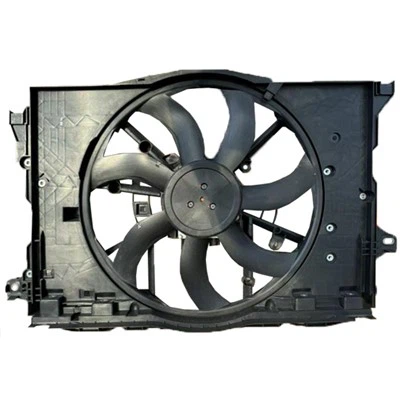
Can I connect radiator fan directly to battery?
Many wonder if it's safe to hook the radiator fan straight to the battery. Is this a good idea?
Connecting a radiator fan directly to the battery is not recommended because it bypasses essential controls and can cause the fan to run constantly, draining the battery and possibly damaging the fan or electrical system.

If you want to understand why direct connection is problematic and how to connect it properly, keep reading.
What is malfunction of Radiator fan?
Radiator fans can stop working properly. What are common malfunctions to watch for?
Radiator fan malfunctions include failure to turn on, running constantly, unusual noises, or inconsistent speeds, often caused by faulty relays, motors, temperature sensors, wiring issues, or physical damage to blades.

A radiator fan malfunction can cause engine overheating or inefficient cooling, leading to engine damage. The common problems include:
Fan won't turn on: Usually due to blown fuse, failed relay, broken motor, or bad temperature sensor.
Fan runs non-stop: May indicate stuck relay, faulty sensor, or control module failure.
Noisy fan operation: Can be caused by worn bearings, bent blades, or debris hitting the fan.
Intermittent fan operation: Loose wiring or poor electrical connections.
Diagnosing involves checking power supply, relays, fuses, and sensor signals. Regular inspection can catch physical damage such as cracked blades or debris buildup.
Here's a summary:
| Symptom | Possible Cause | Fix |
|---|---|---|
| No fan operation | Blown fuse, bad relay | Replace fuse/relay |
| Constant running | Stuck relay, bad sensor | Replace relay/sensor |
| Loud noise | Damaged blades, bearings | Repair or replace fan |
| Sporadic running | Loose wiring | Check and tighten connections |
Can radiator fan drain battery?
You might worry if the fan is using power when it shouldn't. Does the radiator fan drain your battery?
Yes, a radiator fan can drain the battery if it keeps running when the car is off or if wiring issues cause it to draw power continuously. Proper control is essential to prevent battery drain.

The radiator fan is designed to run only when needed-typically when the engine is hot or the AC is on. If the fan operates unexpectedly or won't turn off after the engine shuts down, it will keep drawing current.
Continuous current draw leads to battery depletion, especially since the battery isn't recharged when the engine is off.
Common causes of battery drain include:
Stuck fan relay: Keeps the circuit closed, powering the fan nonstop.
Faulty temperature sensor: Incorrect data causes the fan to run unnecessarily.
Electrical short: Wiring problems might create a loop powering the fan continuously.
Battery drainage can reduce battery life or leave you stranded with a dead battery. Testing and repair of electrical components can stop this drain.
| Issue | Effect | Action |
|---|---|---|
| Fan runs with engine off | Battery drains | Replace relay or sensor |
| Wiring fault causing power | Battery drains | Repair wiring |
| Normal operation | No battery drain | No action needed |
Can radiator fan cause vibration?
Sometimes you might notice odd shaking or vibration around the engine area. Can the radiator fan cause this?
Yes, a radiator fan can cause vibration if the fan blades are damaged, unbalanced, or if the fan motor or mounting is loose, which can lead to noticeable engine bay shaking or noise.
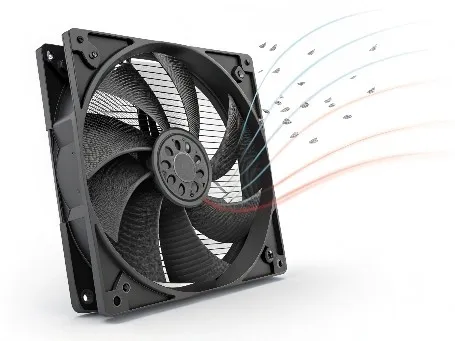
Vibration causes from radiator fans usually stem from mechanical issues:
Damaged or bent blades: This creates imbalance when spinning, causing vibration.
Worn fan motor bearings: They can lead to wobbling or uneven fan rotation.
Loose mounting bolts or brackets: The fan assembly may shake when the engine runs.
Foreign objects or debris: Small stones or leaves caught in the fan cause irregular spinning.
Vibrations not only annoy but can accelerate wear or damage to other engine components. Regular inspection of fan blades and motor, along with securing mounting points, can prevent this.
Here's a breakdown of causes and solutions:
| Cause | Vibration Effect | Solution |
|---|---|---|
| Bent or damaged blades | Strong, rhythmic shaking | Replace or repair blades |
| Worn motor bearings | Irregular vibration/noise | Replace motor |
| Loose mounting | Rattling or shaking sound | Tighten or replace mounts |
| Debris caught in fan | Sudden jerks or noise | Remove debris |
Conclusion
Connecting radiator fans properly is crucial to avoid battery drain and overheating. Fan malfunctions cause noise, vibration, or constant running. Understanding these helps keep your cooling system reliable.