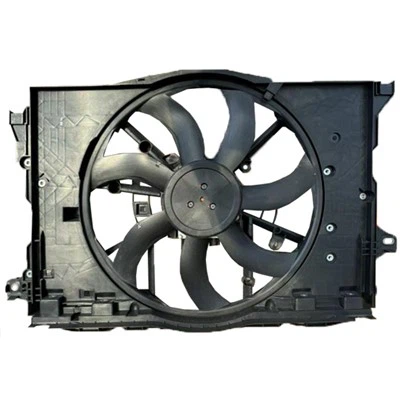
Replacing the radiator fans on a 2001 Honda Prelude is a relatively straightforward process that can be done by most DIY enthusiasts.
Here are the steps:
- Disconnect the battery: This is important for safety reasons to prevent accidental shocks.
- Drain the coolant: This can be done by opening the radiator drain plug and letting the coolant drain into a container.
- Remove the fan shroud: The shroud is the plastic cover that protects the fans. It is typically held in place by a few screws.
- Unplug the fan connectors: There are two connectors that need to be unplugged from the fans. These are typically located on the back of the fans.
- Remove the fan bolts: There are four bolts that hold each fan in place. Remove these bolts.
- Slide out the fans: Once the bolts are removed, the fans can be slid out of the radiator.
- Install the new fans: Follow the steps in reverse order to install the new fans. Make sure to tighten all the bolts securely.
- Reconnect the fan connectors: Plug the connectors back into the fans.
- Replace the fan shroud: Reinstall the fan shroud and tighten the screws.
- Refill the coolant: Fill the radiator with coolant to the correct level.
- Start the engine: Run the engine for a few minutes to allow the coolant to circulate.
- Check for leaks: Inspect the radiator and hoses for any leaks.
Here are some additional tips:
It is a good idea to wear gloves and eye protection when working with coolant.
Coolant is toxic, so it is important to dispose of it properly.
If you are not comfortable performing this procedure yourself, it is best to have a professional mechanic do it for you.
Here is a video that shows how to replace the radiator fans on a 2001 Honda Prelude: